
Pango Colors - Mix & Play
Studio Pango - Kids Fun preschool learning gamesEducational
4.121.00 Reviews
- Version
- 2.0.7
- Installs
- 10.00K
- Age Rating
- Everyone
Screenshots
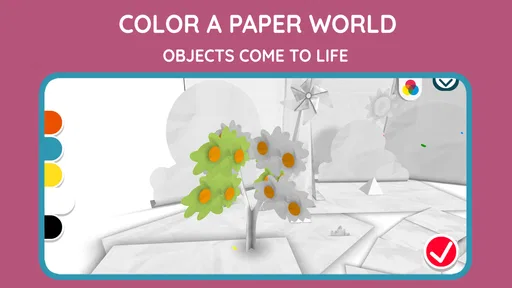
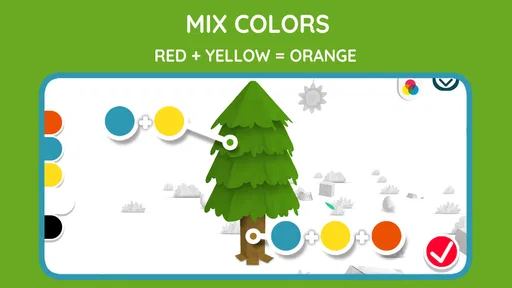
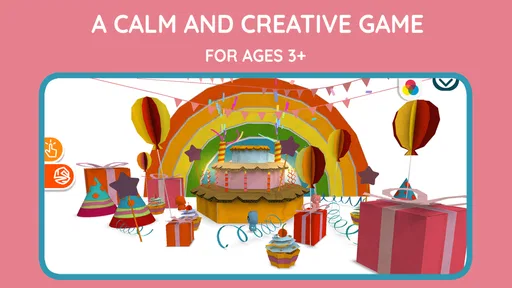
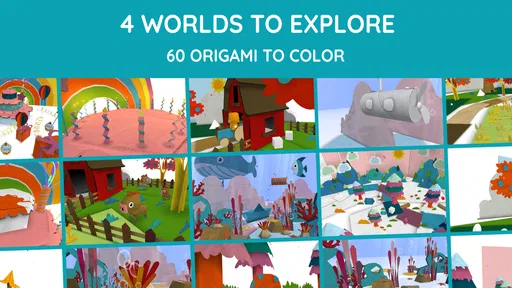
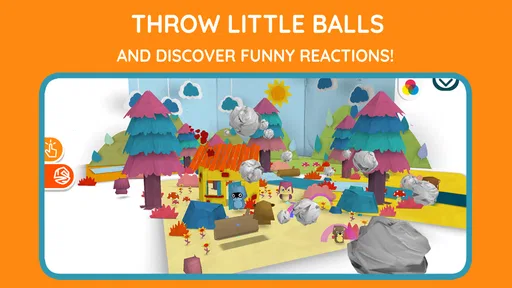
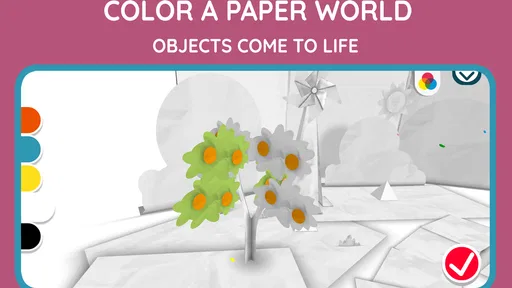
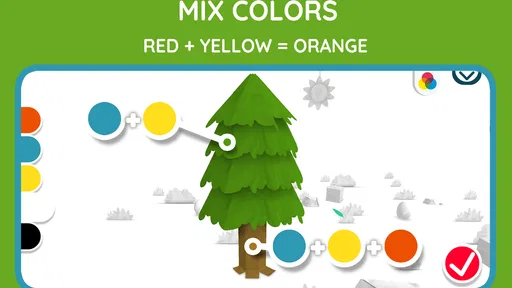
Our Review of Pango Colors - Mix & Play
 Analysis by Appyee
I find the easiest way to judge a preschool game is to picture the moment it will actually be used: a child has a few quiet minutes, an adult is nearby, and the activity needs to be understandable without turning into a lesson. Pango Colors - Mix & Play is built for that kind of short, hands-on exploration. It makes color mixing the reason to tap and experiment, rather than asking a young child to sit through explanations first.
That focus also gives the game a clear audience. It is an educational title from Studio Pango - Kids Fun preschool learning games, with an Everyone age rating. The listed price is $5.99, so I would treat it as a paid choice for families who want a focused creative activity, not as a free sampler to install casually. Its average rating is 4.1 from around 170 ratings, and it has over 10,000 installs; those figures give a little context, but they matter less than whether a child enjoys exploring at their own pace.
Getting Started with Pango Colors
First things first, downloading Pango Colors - Mix & Play is a breeze. Available on both Android and iOS, you can find it easily on your respective app store. Once you’ve got it installed, you’re welcomed by a vibrant interface that’s as inviting as a rainbow after a rainy day.
The app kicks off with a friendly tutorial, making sure you and your little one get the hang of things without a hitch. It’s designed for kids, but trust me, even adults can find themselves lost in the simplicity and charm of mixing colors to create new shades.
Where a child may get stuck
Even an inviting game can have a small learning curve when a child is holding the device alone. A preschooler may understand that colors can be combined but still need a grown-up to show where to begin, what to tap, or how to move from one activity to another. I would sit alongside them for the first session rather than assume the tutorial will answer every question for every child.
A useful approach is to let the child make the first choice, then ask a simple question about what changed when colors came together. That keeps the interaction playful without turning it into a test. If they lose interest in a particular activity, it is fine to stop and return another time; short, relaxed visits are a better fit than expecting a young child to work through everything in one sitting.
Setup checks before handing over the device
The game is currently listed as version 2.0.7 and requires iOS 7.1 or later. Before installing, I would check that the device and operating system are compatible and that there is enough room for another app. If the store page does not offer an install option, checking compatibility first is more useful than repeatedly tapping download.
Because the listed price is $5.99, I would also make sure the purchase is intentional before confirming it. That small pause helps avoid a child starting an installation or purchase flow while exploring the device. Once the game is installed, opening it with the child nearby gives you a chance to see whether the interface feels comfortable on that screen and whether they can follow the opening guidance.
Exploring the Features
Now, onto the features. What’s neat about this app is its interactive approach. Kids can mix primary colors to discover secondary colors, fostering a hands-on learning experience. It’s like having a mini art studio right on your device.
One of the standout features is the collection of mini-games that guide kids through different scenarios where they can use their newfound color-mixing skills. Whether it’s painting a picture or solving a puzzle, each game is designed to be both educational and entertaining.
The app also includes a section where kids can freely explore with colors. Here, they can let their imagination run wild, creating anything from abstract art to more structured designs. It’s a great way for them to express their creativity while reinforcing what they’ve learned.
A practical way to use the activities
I would alternate between the guided mini-games and the open-ended color exploration instead of treating them as interchangeable. The guided activities give a child a clear prompt, which can help when they want direction; free play is better when they are curious but do not want to complete a task. Moving between those two modes can make the game feel less like a sequence of instructions and more like a small creative session.
For example, during a quiet stretch before dinner, a parent could invite a child to try one guided activity, then leave a little time for independent experimenting. The adult can ask the child to describe a color they made or choose a favorite result, without expecting a perfect answer. That turns screen time into a conversation and gives the child a chance to connect the on-screen mixing with colors they notice in toys, clothes, or a picture book.
There is a trade-off here: screen-based mixing can introduce the idea that colors combine, but it is not the same as handling paint or crayons. If the goal is messy, tactile art or practicing pencil control, real materials are a better choice. I see this game as a convenient starting point or a calm indoor activity, not a substitute for every kind of creative play.
Workflow recovery when play is interrupted
Young children often leave an activity midway because they are called away, switch attention, or simply decide they are done. I would avoid making a child feel they must finish a mini-game before stopping. When they return, let them orient themselves again and choose what to explore; a low-pressure restart is more appropriate for this age than insisting on a precise sequence.
If the game does not open or an activity seems unresponsive, first close and reopen it, then check whether the device itself is behaving normally. If the problem persists, a device restart and a check for an available app update are sensible general steps. Before reinstalling, consider whether any activity or progress might be lost; for a young child, it can be less frustrating to try the simpler checks first.
When the device, not the game, is the obstacle
Some apparent app problems are really device or context problems. A child may be tapping too quickly, holding the screen at an awkward angle, or using a device that is low on battery. A calm reset—pause, make sure the screen responds as expected, and reopen the activity—can be enough to tell whether the difficulty is with the interaction or with the device.
It also helps to choose a comfortable setting. A small screen can make detailed creative interaction harder for a child, while a shared device may invite interruptions from notifications or other apps. I would set up the device before handing it over and stay close enough to help, especially during the first few sessions. These are practical conditions, not reasons to expect the game to behave differently.
Why Kids (and Parents) Love It
Parents will appreciate the safety and simplicity of the app. There are no ads or in-app purchases, which is a huge relief. Plus, the intuitive design means kids can navigate it with minimal assistance, giving parents a much-needed break.
The animations are charming, with cute characters that guide kids through their colorful journey. The app’s voiceovers are friendly and encouraging, which is perfect for keeping young users engaged. It’s like having a little cheerleader with you every step of the way.
For a parent comparing it with a basic coloring app, the difference is the emphasis on combining colors and exploring what happens, rather than simply filling outlines. Compared with physical art supplies, it is tidier and easier to offer during a brief wait, but it cannot provide the feel of mixing paint or the freedom of drawing on paper. Compared with a broad preschool-learning app, its narrower color focus can be a benefit when that is exactly what a child wants to explore, but it will not serve as an all-purpose learning hub.
I would recommend it most to preschoolers who enjoy tapping, trying combinations, and making their own choices, with an adult available when they need a nudge. It is less suitable for an older child seeking deeper art instruction, a parent looking for a wide range of school subjects, or a family whose priority is hands-on materials. That distinction matters more than the rating: the right fit depends on whether a focused color activity matches the child’s interests.
Room for Improvement?
No app is perfect, and while Pango Colors - Mix & Play is pretty close, there are a few areas that could be enhanced. For example, adding more languages could broaden its appeal, making it accessible to a wider audience. Additionally, introducing more advanced color concepts for older kids could keep the learning curve interesting.
However, these are minor tweaks in the grand scheme of things. The app’s primary focus on basic color education is executed brilliantly, and it does exactly what it sets out to do.
That focused scope is both a strength and a limitation. A child who is fascinated by color can return to the activities for enjoyable experimentation, but a child who wants more complex challenges may outgrow the learning content quickly. I would not choose it for formal lessons on color theory; I would choose it for approachable discovery, where the adult can add a question or connect a screen activity to something in the room.
Final Thoughts
In conclusion, Pango Colors - Mix & Play is a delightful educational tool that brings the magic of colors to life. It’s perfect for young children just starting to explore their artistic side. Whether you’re a parent looking to introduce your kid to the basics of color theory or just want a fun app to keep them entertained, this is a fantastic choice.
So, what are you waiting for? Dive into the world of colors and let your child’s creativity shine. Who knows? You might even find yourself mixing colors and playing along.
My practical recommendation is to treat it as a shared first experience, then see whether the child returns to it willingly. A short visit can show you whether the prompts, pace, and open exploration suit them; if they prefer drawing on paper or want challenges beyond basic color discovery, choose an activity that better matches that preference. For families looking for a contained, creative introduction to mixing colors, this is a charming option—provided its focused scope is what you want.
Verdict
Strengths of Pango Colors - Mix & Play
- Intuitive interface for easy navigation.
- Encourages creativity and color exploration.
- Suitable for a wide age range.
- No in-app purchases or ads.
- Engaging animations and sounds.
Limitations of Pango Colors - Mix & Play
- Limited content may reduce replay value.
- Requires internet for initial setup.
- No multiplayer features available.
- Lacks advanced parental controls.
- May not challenge older kids.
Other Releases by Studio Pango - Kids Fun preschool learning games
View All
Pango Kids: Learning Games +3
Educational4.1

Pango Build & Explore City
Educational3.7

Pango Sheep: Count & Play
Educational4.3

Pango Playground for kids
Educational4.0
Similar Picks in This Category
View All
Little Panda Policeman
BabyBus4.0

Monster Trucks Game for Kids 2
Raz Games4.1

Little Panda's Chinese Recipes
BabyBus4.4

Little Panda's Restaurant
BabyBus4.4

Little Panda's Ice Cream Games
BabyBus4.3

Baby Panda Care
BabyBus3.8
Frequently Asked Questions
What is Pango Colors - Mix & Play?
Pango Colors - Mix & Play is an interactive app designed for children to learn about colors and color mixing in a playful environment. Through engaging activities and vibrant animations, kids can experiment with different color combinations, fostering creativity and educational development. It's suitable for both Android and iOS devices.
Is Pango Colors - Mix & Play suitable for all age groups?
Pango Colors - Mix & Play is primarily aimed at young children, typically ages 3 to 6. The app's simple interface and intuitive design make it easy for preschoolers to navigate. However, older children might also enjoy the creative aspects of color mixing. Parents can rest assured that the content is child-friendly and educational.
Does Pango Colors - Mix & Play require an internet connection?
No, Pango Colors - Mix & Play does not require an internet connection to function. Once downloaded, all activities and features are available offline, making it a great option for travel or situations where internet access is limited. This ensures uninterrupted playtime for kids.
Are there in-app purchases or ads in Pango Colors - Mix & Play?
Pango Colors - Mix & Play is a one-time purchase app with no in-app purchases or ads. This means parents can buy the app without worrying about unexpected charges or advertisements disrupting their child’s play. The focus remains on providing an uninterrupted, safe learning environment.
How does Pango Colors - Mix & Play support learning and development?
Pango Colors - Mix & Play supports learning by encouraging children to explore and understand the concept of colors and color mixing through interactive play. The app enhances cognitive skills by challenging kids to think creatively and solve color-based puzzles. It also aids in developing fine motor skills as children interact with the touchscreen interface.
Play our best games!


